Your Cart
IROGER MAX Multifunction Hearing Amplifier - 2.4 GHz TX Ready, Bluetooth & EQ
i8-P-MAX

IROGER MAX Multifunction Hearing Amplifier - 2.4 GHz TX Ready, Bluetooth & EQ

A rechargeable hearing amplifier for seniors and older adults who want adjustable conversation sound and more audio connections. Use MAX for one-on-one conversations, compatible Bluetooth audio, or TV listening and remote microphone audio with optional TX.

In Stock
$189.00
  • Stock: In Stock
  • Brand: iRoger
  • Model: i8-P-MAX
  • SKU: IROGER-MAX

Included with MAX

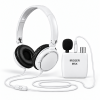
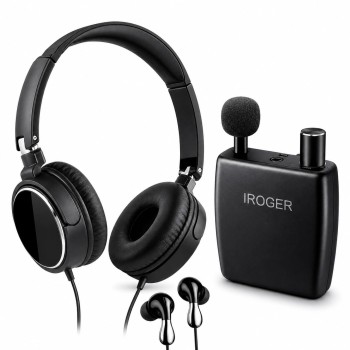
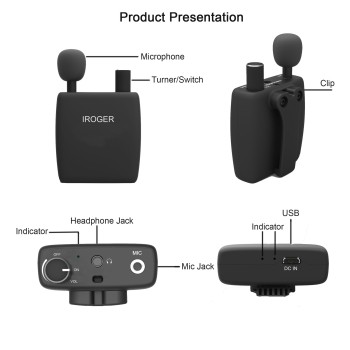
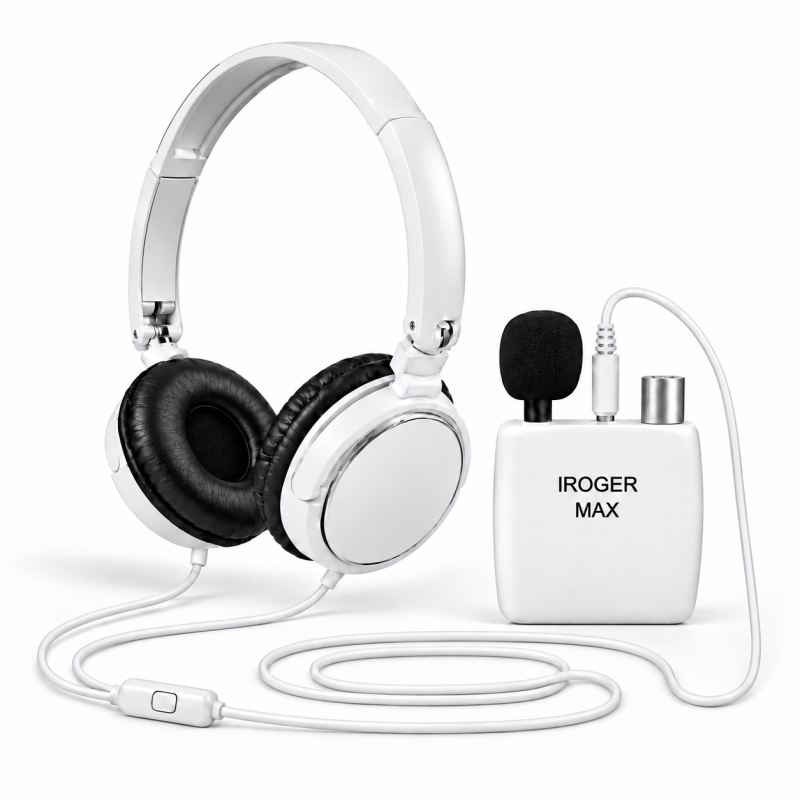
MAX main unit · External microphone · Headband headphones · Charging cable · User manual

Free standard delivery30-day return period

Model: i8-P-MAX

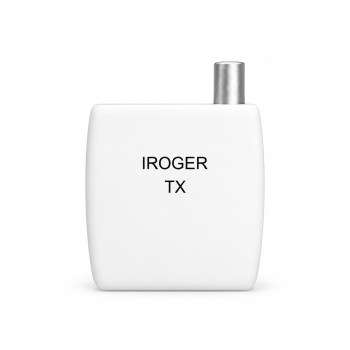
IROGER TX is optional and sold separately. Explore TX ↗

ONE DEVICE. DIFFERENT LISTENING OPTIONS.

Closer conversations.
More ways to connect.

Use adjustable amplification for conversations, stream compatible Bluetooth audio, or receive a microphone or TV audio source through optional TX.

For seniors and families choosing a TV setup, check the television's outputs together before adding TX. Our personal TV listening guide explains microphone and direct-audio options.

01 / CONNECTED MICROPHONE

One-on-one conversations

Place the separate directional microphone near the person speaking to pick up their voice more directly. Adjust MAX volume for listening through connected headphones or earbuds.
02 / BLUETOOTH AUDIO

Listen to your compatible devices

Pair a compatible phone or computer to listen to calls or media through headphones connected to MAX. Adjust the listening volume on MAX; supported functions depend on the source device.

03 / OPTIONAL IROGER TX

TV listening with optional TX

Connect a microphone or compatible analog TV output to optional TX. TX sends the audio to MAX over 2.4 GHz, so the source can remain near the speaker or television. Check TV outputs and cables before ordering.

SETUP & ACCESSORY QUESTIONS

Choose your listening setup

How do I connect iRoger MAX to my TV?

Use optional IROGER TX transmitter to send a compatible analog TV audio output to MAX.

  1. Check the TV port label: use analog RCA AUDIO OUT or 3.5 mm HEADPHONE OUT. An optical or HDMI-only output needs a separately verified conversion setup.
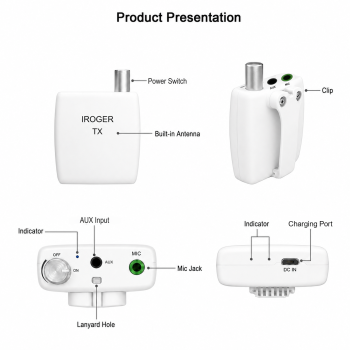
  2. Use a 3.5 mm audio cable from HEADPHONE OUT to TX AUX, or an RCA-to-3.5 mm cable from RCA AUDIO OUT to TX AUX. Confirm that the selected port is an output.
  3. Turn on TX and connect it to MAX using the MAX and TX manuals. Their dedicated 2.4 GHz connection is separate from Bluetooth pairing.
  4. Plug wired headphones or earbuds into MAX. Start low and adjust the listening volume on MAX; the TX knob controls power.
  5. Check the TV audio-output setting and whether its speakers can stay on at the same time. This depends on the television.

TX and TV audio cables are not included with MAX. TX is sold separately and does not include a TV audio cable. Headphones remain wired to MAX during wireless-source listening. See the personal TV listening guide and MAX and TX manuals.

How do I use MAX for one-on-one conversations?

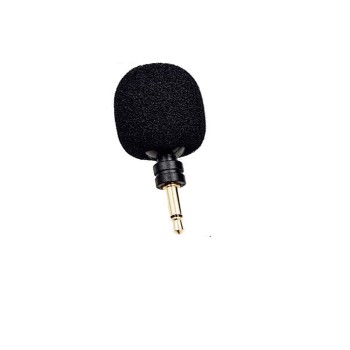
Connect the external microphone directly to MAX, aim it toward the person speaking, and start at a low listening volume. For a remote microphone, connect the compatible microphone to optional TX near the speaker, then receive that audio on MAX. IR0211 replacement microphone fits both MAX and TX. The microphone setup guide explains placement and noise checks.

Can I use my own 3.5 mm headphones, and will phone calls and mode controls work?

Yes, your own 3.5 mm wired headphones or earbuds can be used for listening. For MAX hands-free phone calls and headset mode control, use a 4-pole 3.5 mm (TRRS) headset with its own MAX-compatible inline controller and microphone. A 3.5 mm listening plug alone does not provide those functions.

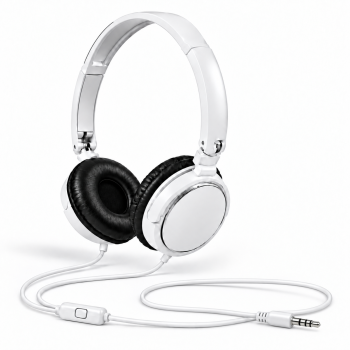
IR3442 replacement headband headphones suit smaller heads and support listening. IR3245 replacement in-ear earbuds include an inline controller and microphone for MAX hands-free calls and mode control. White MAX replacement headphones with microphone and controller provide a headband option with those MAX functions and a 4-pole 3.5 mm (TRRS) plug. IR3442 does not include those controls or a microphone. Bluetooth and TX are audio-source connections into MAX; they do not turn wired headphones into wireless headphones. Compare headphones and earbuds.
PRODUCT INFORMATION

Features, specifications & setup

View product manuals ↗

Bring the sound source closer - by cable or wirelessly

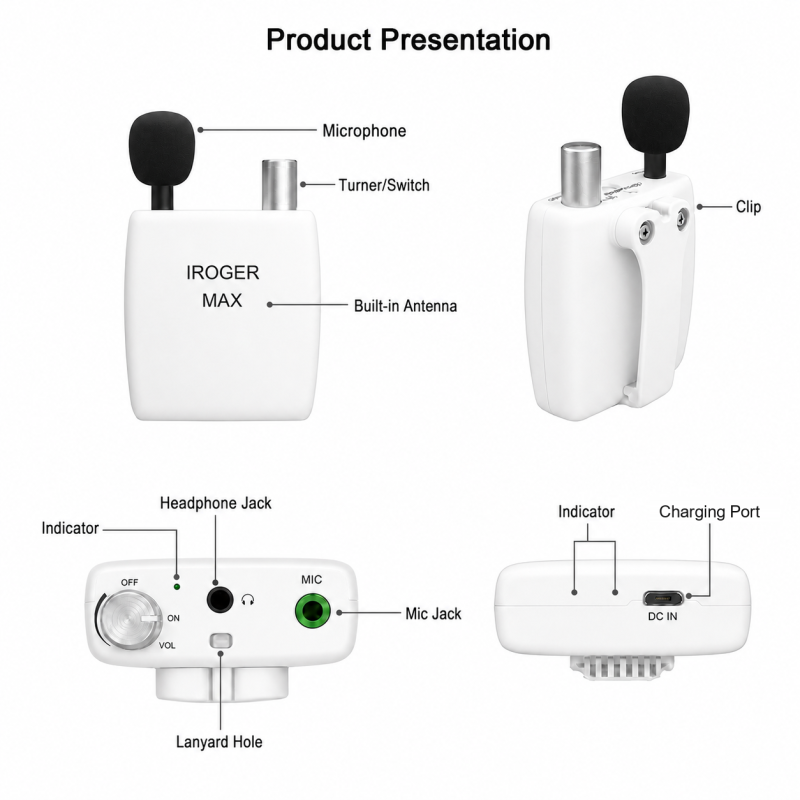
IROGER MAX is a multifunction hearing amplifier with adjustable listening volume. Make picked-up conversation and television sounds louder through connected headphones or earbuds, stream compatible Bluetooth audio, or add optional IROGER TX for a wireless microphone or compatible TV audio source.

Why the separate-microphone design matters

A microphone at the sound source receives the wanted voice or television audio before distance and room noise have as much opportunity to interfere. MAX can use a connected directional microphone, while IROGER TX can place the microphone wirelessly on a speaker's collar or chest.

Listen through compatible headphones or earbuds connected to MAX and adjust the volume to a comfortable level. For television, connect a compatible cable from the TV's analog RCA AUDIO OUT or 3.5 mm HEADPHONE OUT to optional TX AUX input. TX sends this audio to MAX over 2.4 GHz. Check TV outputs and follow the manuals for the required cable and input setting.

Advanced audio and connection options

  • Directional hearing-amplifier mode: voice enhancement helps emphasize speech while reducing some background noise.
  • 2.4 GHz IROGER TX support: receive a wireless microphone or TV/audio source with approximately 7 ms specified latency.
  • Bluetooth audio: connect compatible phones, computers, and televisions; specified Bluetooth latency is 12 ms.
  • Multiple sources: connect up to two TX transmitters in 2.4 GHz mode. Mixing mode can maintain two TX connections plus one Bluetooth connection.
  • Selectable sound profiles: Normal, Rock, Pop, Classic, Jazz, Country, Bass Boost, Dialogue, and TV Boost.
  • Standard listening connection: supports compatible headphones from 16 to 600 ohms.

37.28-hour Tinnitus Masker audio program

MAX includes seven selectable masking sounds: white noise, blue noise, pink noise, brown noise, ocean waves, rain, and flowing water. The source contains 37.28 hours of continuous, non-repeating audio before the full program repeats, instead of replaying a short clip.

Long rechargeable battery life

  • Typically up to 150 hours in Hearing Amplifier mode
  • Typically up to 100 hours in Tinnitus Masker mode
  • Typically up to 50 hours in wireless mode
  • 800 mAh rechargeable battery; approximately 90-minute charging time with a 5 V / 2 A USB power source

Battery life varies with volume, connection mode, signal conditions, and operating environment.

Key specifications

  • Model: i8-P-MAX
  • Dual-core 320 MHz DSP
  • 2.4 GHz and Bluetooth dual-mode wireless connectivity
  • Specified Bluetooth range: up to 20 m with unobstructed line of sight
  • Hi-Fi 48 kHz and High-Resolution 96 kHz sample rates
  • Maximum specified hearing-amplifier gain: 65 dB
  • Micro-USB charging input

Read the IROGER MAX user guide for setup, compatible connections, operating modes, and care instructions.

Bluetooth phone-call amplification

Pair IROGER MAX with a compatible Bluetooth phone to listen to call audio through the headphones or earbuds connected to MAX. Adjust the listening volume on MAX. Bluetooth phone calls and Bluetooth media use the Bluetooth connection; the optional IROGER TX uses a separate 2.4 GHz link.

Deep noise reduction when MAX is used with TX

For a wireless conversation setup, connect a microphone to IROGER TX and place TX near the person speaking. After MAX and TX establish their dedicated 2.4 GHz connection, deep machine-learning environmental noise reduction is activated for the TX audio sent to MAX. This is different from simply turning up distant room sound at the listener.

  • Hearing-amplifier mode: up to 65 dB of specified maximum gain.
  • Bluetooth: compatible phone calls, phone media, computers, and televisions.
  • MAX + TX: low-latency 2.4 GHz microphone or TV audio with deep noise reduction active on the connected TX audio path.
  • Listening output: compatible headphones or earbuds from 16 to 600 ohms.

Compare MAX with IR8 and I8-Pro on the hearing amplifiers page, or read the microphone placement and noise-reduction guide.

Hearing amplifier and wireless Hi-Fi headphone amplifier

MAX is not limited to personal sound amplification. It can also work as a wireless Hi-Fi headphone amplifier for compatible Bluetooth streaming or audio received from TX. Its specified 410 mW headphone output is designed to drive compatible high-impedance headphones, while the supported 16–600 ohm range gives listeners flexibility to use efficient everyday headphones or more demanding home-listening models. After Bluetooth pairing, MAX can also be selected as a recording input device on compatible phones or computers. Recording availability and device selection depend on the operating system and recording application. Actual listening level and battery runtime vary with headphone impedance and sensitivity, source level, connection mode, EQ, and volume setting.

What is included with IROGER MAX

  • IROGER MAX main unit
  • External microphone
  • Charging cable
  • Headband headphones
  • User manual

Compare MAX, IR8, I8-Pro, and TX

ProductBest fitConnectionsIncluded listening accessoryWarranty
MAXHearing amplification, wireless Hi-Fi streaming, or Bluetooth recordingExternal microphone, Bluetooth, and dedicated 2.4 GHz TX linkHeadband headphones; 410 mW output supports compatible 16–600 ohm headphones1 year
IR8Simple one-knob portable amplificationExternal directional microphone and 3.5 mm listening outputHeadband headphones2 years
I8-ProChoice between a headband style and an in-ear styleExternal directional microphone and 3.5 mm listening outputHeadband headphones and in-ear earphones2 years
TXSending a nearby microphone or wired TV/audio source to MAXMicrophone input, AUX input, and dedicated 2.4 GHz MAX linkNo listening output; requires MAX1 year

IROGER MAX buying FAQ

Does MAX require TX?

No. MAX can work as a hearing amplifier with its connected microphone and can receive compatible Bluetooth audio without TX. Add TX when you want to place a wireless microphone near a speaker or send a compatible wired TV/audio output to MAX.

How can MAX receive television audio?

Use compatible Bluetooth on a television when available, or connect the TV's analog RCA AUDIO OUT or 3.5 mm HEADPHONE OUT to the AUX input of an optional TX. TX then sends the audio to MAX over its dedicated 2.4 GHz link.

Can MAX handle Bluetooth calls, wireless streaming, and recording?

Yes. Pair MAX with a compatible Bluetooth phone, computer, or other source to receive wireless streaming audio through the wired headphones or earphones connected to MAX. A compatible phone or computer can also select MAX as a Bluetooth recording input device. Call and recording availability depend on the host device, operating system, application, and Bluetooth settings; listening volume is adjusted on MAX.

When is deep noise reduction activated?

Deep machine-learning environmental noise reduction is activated after MAX and TX establish their dedicated 2.4 GHz connection. It is active for the TX audio path sent to MAX, whether TX is being used for its connected microphone or a compatible wired TV/audio source.

Which headphones or earphones can I use?

MAX includes headband headphones and supports compatible wired headphones or earphones from 16 to 600 ohms. Its specified 410 mW headphone output can drive compatible high-impedance headphones, making MAX useful as a wireless Hi-Fi headphone amplifier as well as a hearing amplifier. Choose a comfortable fit, connect it before raising the volume, and begin at the lowest comfortable setting.

What are the return and warranty periods?

MAX includes a 30-day return period and a one-year warranty. Review the return policy and warranty terms before ordering, retain the packaging and order information, and consult the MAX user manual for setup and care.

Built-in sound masking: seven sounds and 37.28 hours

IROGER MAX includes a portable, headphone-based sound-masking library with white noise, pink noise, brown noise, blue noise, ocean waves, rain, and flowing water. The source contains 37.28 hours of continuous, non-repeating audio before the full program repeats. Choose a sound and use the MAX volume control to keep it at a comfortable background level.

Learn how the listening options differ in our tinnitus sound therapy guide, compare the seven tinnitus relief sound categories, or use the tinnitus sound therapy device guide to compare MAX with apps, tabletop sound machines, and other listening formats.

  • 5 Awesome
    0%

  • 4 Great
    0%

  • 3 Average
    0%

  • 2 Bad
    0%

  • 1 Poor
    0%

Please login or register to review

Reviews Over IROGER MAX Multifunction Hearing Amplifier - 2.4 GHz TX Ready, Bluetooth & EQ

  • (0)

Total Reviews (0)
click here write review to add review for this product.

i8-P-MAX$189.00
Brand: iRoger
Place the microphone near the speaker - or send TV audio wirelessly IROGER TX sends audio from a connected microphone, television, or other audi..
$79.00
Add to Cart
Brand: iRoger
Replace your iRoger MAX headband headphones with this white wired headset, featuring an inline microphone and controller for MAX hands-free phone call..
$19.99
Add to Cart