

Headphones or earbuds: choosing what feels right
Compare comfort, fit, portability, and everyday handling before choosing a listening accessory.
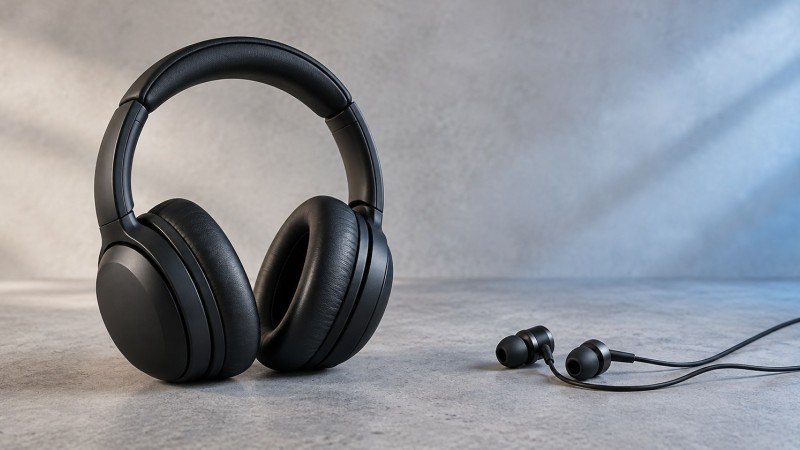
The best accessory is the one you can connect correctly, wear comfortably, and use at a modest volume.
When headphones may help
Over-ear or on-ear headphones can be easier to position and remove. The larger parts may be simpler to handle, and the headband keeps the listening pieces together. Check that the band feels secure without excessive pressure.
Headphones are less compact than earbuds and may interact with glasses, hats, or hairstyles. Adjust the band before changing volume; a poor fit can make the sound seem uneven.
When earbuds may help
Earbuds are light and portable. They may be convenient when you want a smaller accessory, but tip size and placement have a large effect on comfort. Never force an earbud into the ear canal.
Stop using an earbud if it causes pain or irritation. Use only clean, intact tips that are designed for the accessory.
Use a simple fit test
- Connect the accessory with the amplifier turned off.
- Put it on and check physical comfort before playing amplified sound.
- Set the volume to the lowest position, turn on, and raise gradually.
- Turn your head gently and confirm that the cable does not pull or rub.
Choose comfort over appearance. A stable fit at a lower useful volume is more important than choosing the smallest option.
Care for the connection
Remove the plug by holding its molded body, not the cable. Keep connectors dry and free of visible debris. Store earbuds in a small clean case and place headphones where the band will not be bent or crushed.
Only use compatible accessories. When in doubt, check the manual for your iRoger model or contact customer support before connecting a replacement.
Check the device and accessory together
Compare compatible headphones, earbuds, cables, and other accessories, review the two listening options supplied with iRoger I8-Pro, then use the personal sound amplifier setup guide and five-minute care routine to keep the connection ready.
Which replacement headphones or earbuds fit my iRoger model?
IR8, I8-Pro and MAX use 3.5 mm wired headphones or earbuds for listening, so buyers can also use their own pair. Choose the wearing style around comfort and handling, then check which MAX functions you want.
Replacement headband headphones for smaller heads
IR3442 replacement headphones support 3.5 mm listening on IR8, I8-Pro and MAX. They do not have an inline controller or microphone and cannot provide MAX hands-free calls or headset mode control.
Replacement earbuds with MAX call and mode controls
IR3245 replacement in-ear earbuds fit IR8, I8-Pro and MAX for listening. Their inline controller and microphone also support hands-free calls and headset mode control on MAX. A 3.5 mm plug establishes the listening connection; it does not by itself establish remote-control and call functions.
Connect headphones to the amplifier with the listening volume low. TX has no headphone output; a TX setup sends audio to MAX first. Use the product-page compatibility tables, compare the iRoger hearing amplifiers, or check the hearing amplifier accessories category.
Prefer a headband headset with MAX call and mode controls? The white MAX replacement headphones with microphone and controller have a 4-pole 3.5 mm (TRRS) plug. The package contains one headset only; MAX is sold separately.