

Best Hearing Amplifier? A Practical Selection Guide
Learn how to compare digital hearing amplifiers by gain, microphone placement, headphones, battery life, Bluetooth, noise reduction, comfort and safe use.
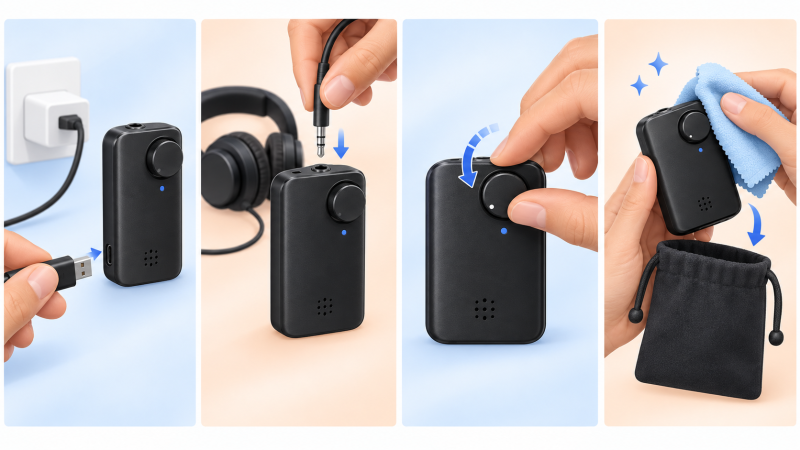
An iRoger personal sound amplifier follows a simple path: a microphone picks up the sound, the amplifier adjusts its level, and connected headphones or earbuds deliver it to you.
Follow the signal path
An iRoger amplifier uses a microphone to pick up sound and sends the amplified signal to connected headphones or earbuds. A directional microphone is designed to emphasize sound from the direction it is pointed.
Each part of that path can change the result. Before turning up the volume, point the microphone toward the sound you want, shorten the distance when possible, and check that every 3.5 mm plug is fully seated.
Source-first setup: With a compatible 3.5 mm extension cable, the separate directional microphone can be placed nearer a television or speaker while the amplifier stays with you.
Getting started
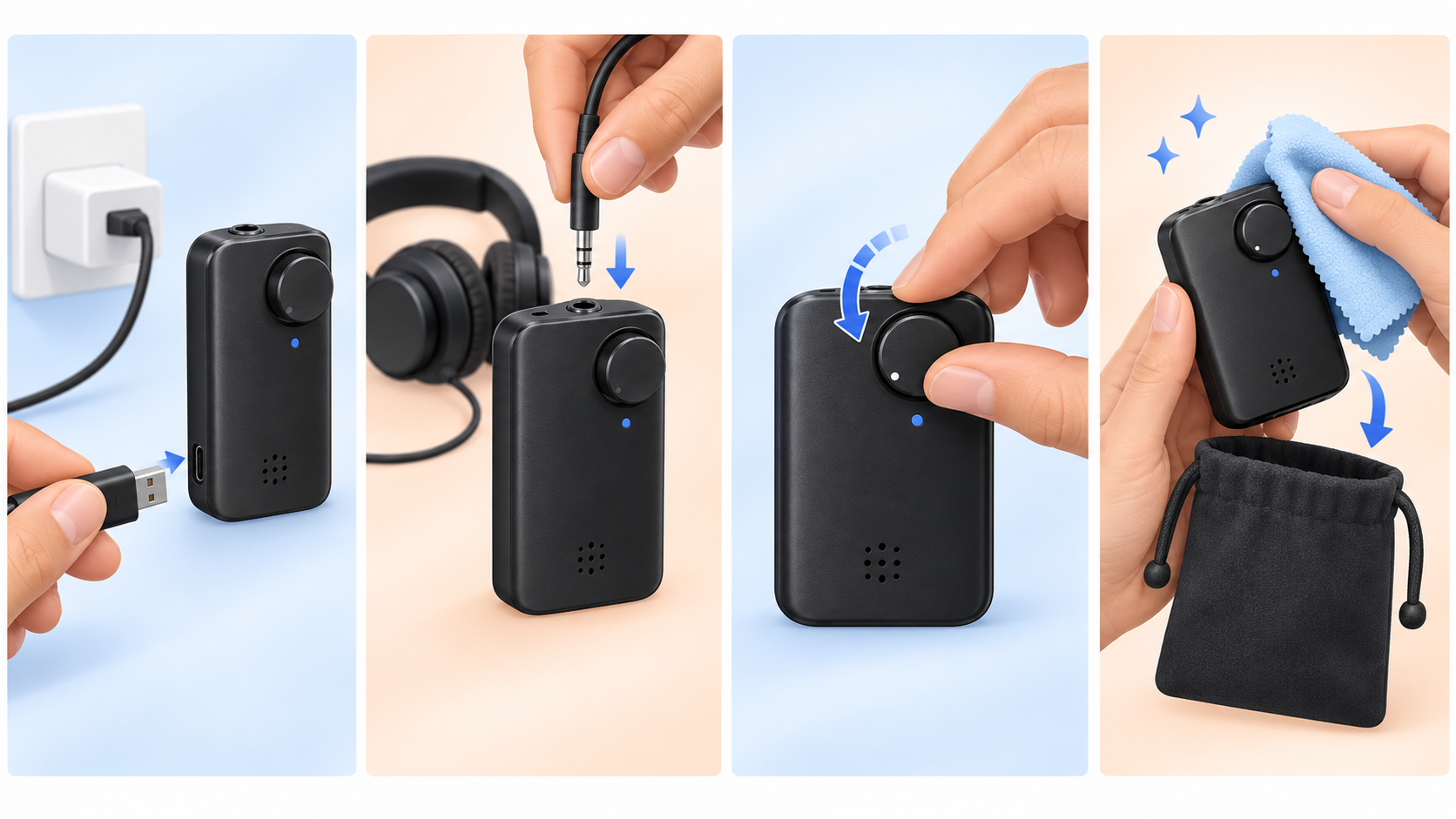
- Charge the device. Begin with a full battery so setup is not interrupted.
- Connect one listening option. Choose either headphones or earbuds and make sure the plug is fully seated.
- Start at the lowest volume. Turn the device on, then raise the level gradually.
- Point the microphone. Aim it toward the person or sound you want to hear.
- Adjust one thing at a time. Change distance or direction before making a large volume change.
Comfortable listening
Use the lowest volume that provides useful clarity. If a sound feels sharp or uncomfortable, lower the volume immediately. In busy spaces, move closer to the person speaking and point the microphone toward them rather than simply turning the control higher.
Small adjustments to distance, microphone direction, and volume can make a meaningful difference.
Take short breaks during longer sessions. After use, turn the device off, disconnect the listening accessory by holding the plug instead of pulling the cable, and store all parts together in a clean, dry place.
Choose your setup
IR8 and I8-Pro use a standard 3.5 mm listening connection, so you can choose compatible headphones or earbuds according to fit, handling, and the length of your listening session. For a television or fixed speaker, add a compatible extension cable and bring the microphone closer to the source.
IR8 and I8-Pro provide up to 120 hours of use per charge, depending on volume and operating conditions. Their one-knob power and volume control keeps the basic routine direct: connect, start low, point the microphone, and adjust gradually.
How to choose the best hearing amplifier for the situation
The best hearing amplifier is not simply the model with the largest gain number. A useful choice matches the sound source, the room, the controls the listener can manage, and the headphones or earbuds the listener will actually use. This guide compares those practical factors across the current iRoger range.
1. Start with the sound source
For a nearby conversation, a directional microphone can be aimed toward the person speaking. For television or a lecturer, moving the microphone closer to the source often improves the wanted sound before amplification. For wireless listening, IROGER MAX can receive a 2.4 GHz signal from IROGER TX, while MAX Bluetooth can carry compatible phone-call and media audio.
2. Compare gain and volume control
IR8, I8-Pro, and MAX each provide up to 65 dB of specified maximum hearing-amplifier gain. A higher available maximum is not a direction to use the device at full volume. Begin at a low setting, improve microphone placement first, and increase volume gradually to a comfortable level.
3. Decide between headphones and earbuds
Standard headphones can be easy to position and may suit listeners who prefer not to manage small in-ear pieces. Earbuds are compact and lightweight. IR8 and I8-Pro use a standard 3.5 mm listening connection. MAX supports compatible headphones and earbuds from 16 to 600 ohms. Read our headphones-versus-earbuds guide for comfort and fit factors.
4. Match the model to the connection
| Model | Useful starting point | Core features |
|---|---|---|
| IR8 | Simple portable listening | Digital 65 dB gain, automatic gain control, directional microphone, one knob |
| I8-Pro | Headphone or earbud flexibility | Digital 65 dB gain, directional noise-reducing microphone, rechargeable design |
| MAX | Phone calls, TV, and wireless microphone setups | 65 dB gain, Bluetooth, EQ, optional TX, deep noise reduction after MAX and TX connect |
5. Check battery life, charging, and everyday handling
IR8 and I8-Pro are specified for up to 120 hours of use per charge. MAX is specified for up to 150 hours in hearing-amplifier mode, up to 100 hours in masking mode, or up to 50 hours in wireless mode. Actual runtime changes with volume, connection mode, signal conditions, and the operating environment. Compare the power control, charging connector, and included accessories before ordering.
6. Understand noise reduction
A directional microphone and algorithmic noise reduction solve related but different problems. Directionality favors sound from the direction the microphone faces. After MAX and TX establish their dedicated 2.4 GHz connection, deep environmental noise reduction is active for the TX audio path. Read the noise-reduction and microphone guide for setup examples.
7. Use product reviews as evidence, not as a substitute for fit
Reviews can reveal how easy controls, cable length, headphone comfort, and microphone placement feel in real use. They cannot establish that one device is best for every listener. Check whether a review describes the same room, sound source, listening style, and support needs that matter to you.
Hearing amplifier safety and limitations
Personal sound amplification products are not hearing aids and are not intended to diagnose, treat, cure, or compensate for hearing impairment. The U.S. FDA explains that PSAPs are consumer products intended to amplify sounds in selected situations for people with normal hearing. If there is sudden hearing change, pain, drainage, dizziness, one-sided symptoms, or concern about hearing loss, read when to speak with a hearing professional.
Ready to compare products? Visit the iRoger hearing amplifiers category or the guide for seniors and families.