

Your Cart
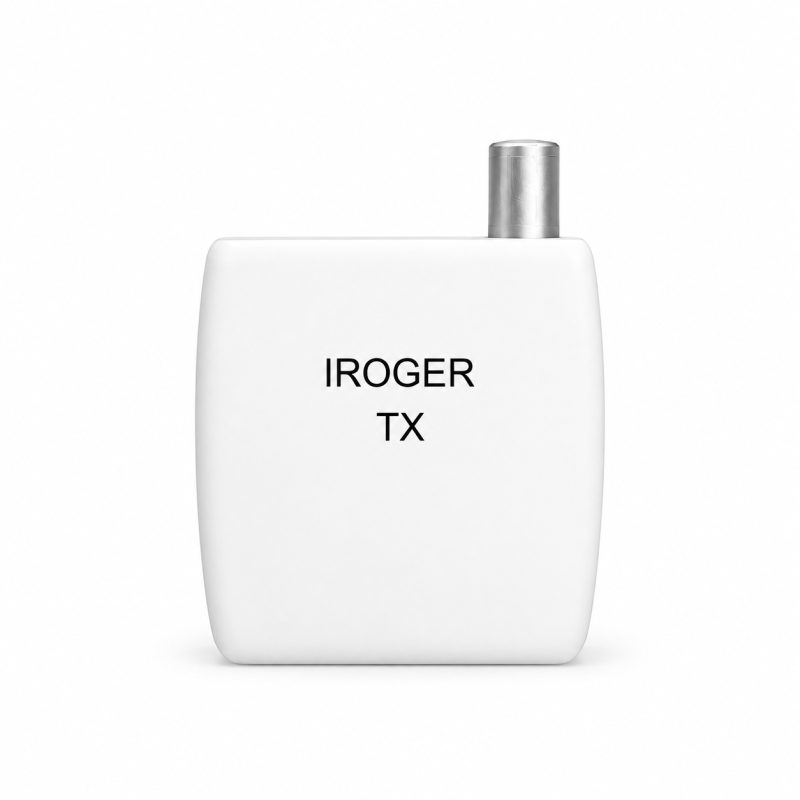
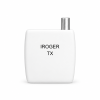
IROGER TX 2.4 GHz Wireless Microphone & TV Audio Transmitter for IROGER MAX
i8-P-TX

IROGER TX 2.4 GHz Wireless Microphone & TV Audio Transmitter for IROGER MAX

Place the microphone near the speaker - or send TV audio wirelessly IROGER TX sends audio from a connected microphone, television, or other audio device to IROGER MAX over a 2.4 GHz wireless connection. The listener connects headphones or earbuds to MAX and controls the listening volume on MAX.

In Stock
$79.00
  • Stock: In Stock
  • Brand: iRoger
  • Model: i8-P-TX
  • SKU: IROGER-TX

Model: i8-P-TX

SETUP & ACCESSORY QUESTIONS

Choose your listening setup

How do I connect TX to my TV and MAX?

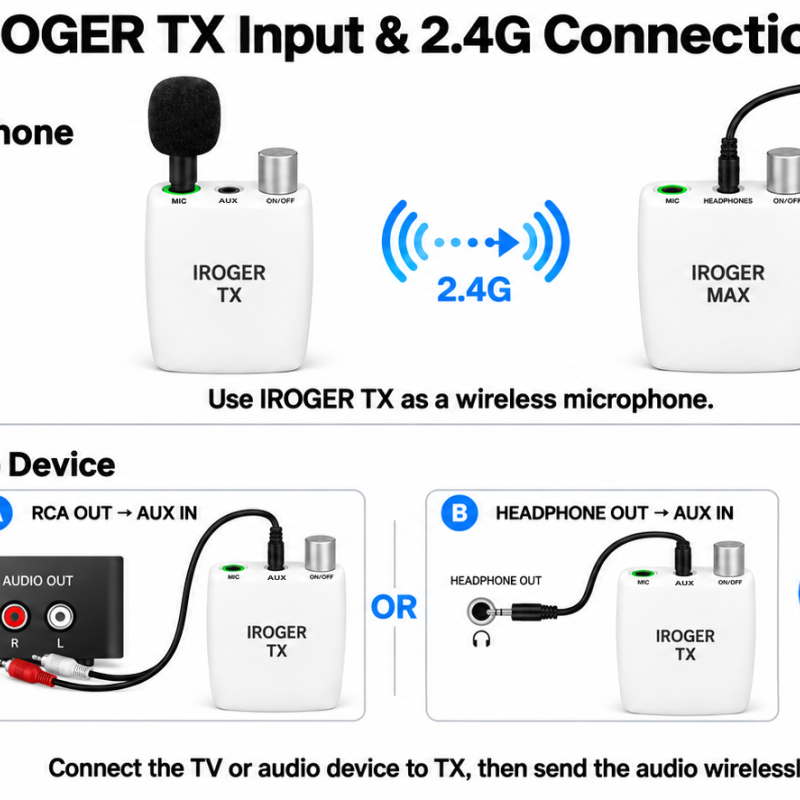
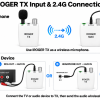
Use the TV's analog RCA AUDIO OUT with an RCA-to-3.5 mm cable, or 3.5 mm HEADPHONE OUT with a 3.5 mm audio cable, into TX AUX. Turn TX on and follow the TX and MAX pairing instructions. Listen through headphones connected to MAX hearing amplifier, where you adjust volume. TX uses dedicated 2.4 GHz wireless, not Bluetooth. A TV audio cable is not included with TX. Read the TV listening guide.
Which microphone and headphones do I need for a TX conversation setup?

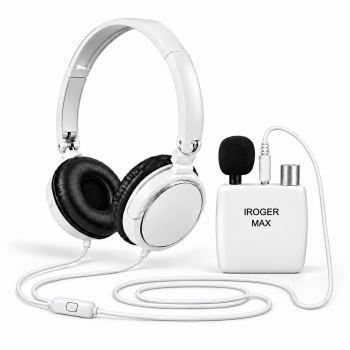
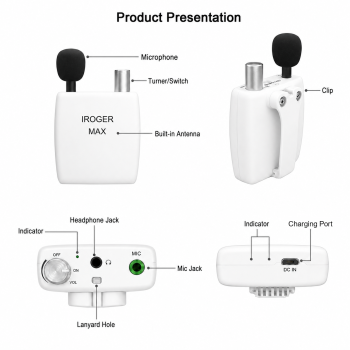
The IR0211 replacement microphone connects to TX's microphone input. Place it near the person speaking, clear of rubbing clothing. TX sends the voice to MAX, and headphones or earbuds connect to MAX. TX has no headphone output and does not connect directly to IR8 or I8-Pro. See the remote microphone guide.

PRODUCT INFORMATION

Features, specifications & setup

View product manuals ↗

Place the microphone near the speaker - or send TV audio wirelessly

IROGER TX sends audio from a connected microphone, television, or other audio device to IROGER MAX over a 2.4 GHz wireless connection. The listener connects headphones or earbuds to MAX and controls the listening volume on MAX.

Two useful ways to bring the source closer

Wireless microphone: connect the microphone to TX and clip the transmitter to a speaker's collar or chest. After TX and MAX establish their dedicated 2.4 GHz connection, deep machine-learning environmental noise reduction is activated for the TX audio sent to MAX.

TV or audio transmitter: connect a TV's RCA AUDIO OUT or 3.5 mm HEADPHONE OUT to the TX AUX input. TX sends the audio to MAX without a long cable running back to the listener.

Use one TX or combine two sources

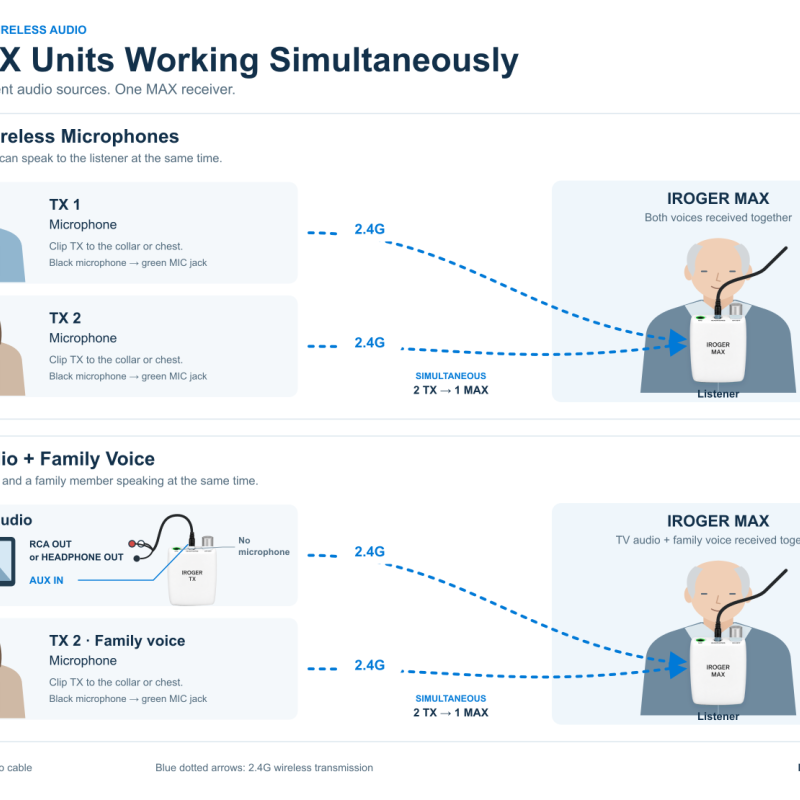
One IROGER MAX receiver can receive up to two TX transmitters at the same time. Use two wireless microphones, or combine television/music audio from one TX with a family member's voice from the second TX.

Key specifications

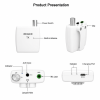
  • Model: i8-P-TX
  • Product type: 2.4 GHz wireless audio transmitter for IROGER MAX
  • Specified range: up to 10 m with unobstructed line of sight
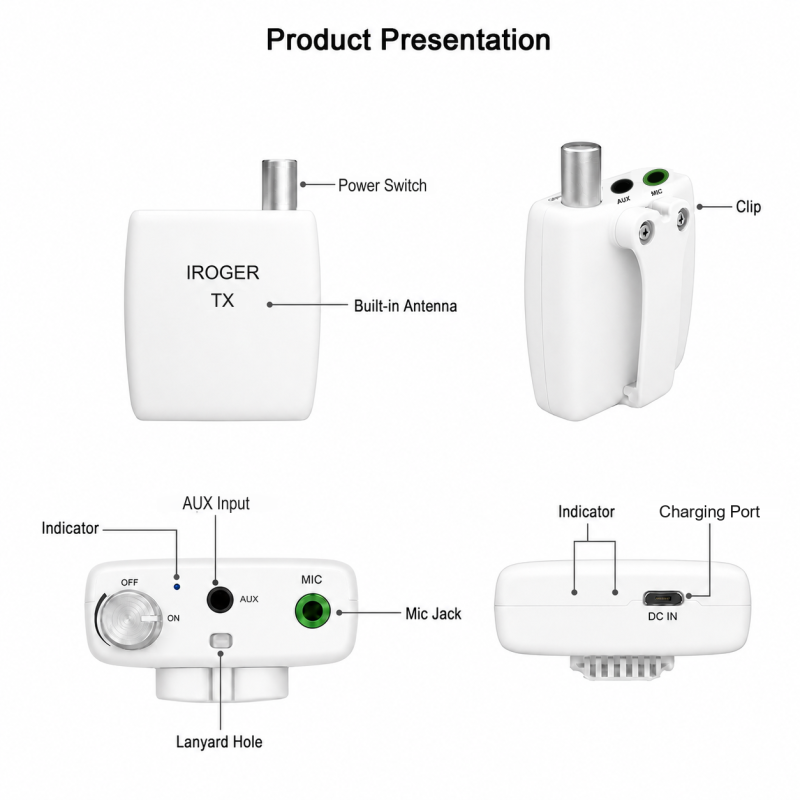
  • Inputs: microphone jack and 3.5 mm AUX input
  • 800 mAh rechargeable lithium-ion battery
  • Approximately 90-minute charging time with a 5 V / 2 A USB power source
  • Micro-USB charging connector
  • Blue indicator flashes at intervals during normal transmission and twice per second at low battery

Simple operation

Connect the source, turn TX on, and it begins transmitting. The TX rotary knob is a power switch only; listening volume is adjusted on IROGER MAX.

Compatibility: IROGER TX requires an IROGER MAX receiver for listening. It does not provide a standalone headphone output and does not connect directly to IR8 or I8-Pro.

Read the IROGER TX user guide for microphone placement, television connections, two-transmitter setup, and care instructions.

Deep noise reduction after TX connects to MAX

After TX connects to MAX over the dedicated 2.4 GHz link, deep machine-learning environmental noise reduction is active for the TX audio path. Place TX on a collar, chest, table, or lectern near the person speaking, then listen through the paired IROGER MAX receiver.

TX is not a Bluetooth phone accessory and does not work as a standalone hearing amplifier. It sends microphone or wired TV/audio input to IROGER MAX over the dedicated 2.4 GHz connection. MAX separately supports Bluetooth phone-call and media audio.

For connection choices and room setup, read the hearing amplifier noise-reduction guide or the MAX and TX manuals.

TV, wireless microphone, and MAX pairing

For television audio, connect the TV's analog RCA AUDIO OUT or 3.5 mm HEADPHONE OUT to the TX AUX input with a compatible cable, then connect TX to MAX over the dedicated 2.4 GHz link. For a wireless conversation microphone, connect the microphone to TX and place it near the person speaking. Once MAX and TX are connected, deep machine-learning environmental noise reduction is activated for the TX audio path. TX is not Bluetooth; Bluetooth phone-call and media connections are handled separately by MAX.

What is included with TX

  • IROGER TX transmitter
  • Charging cable
  • User manual

Check compatibility before buying

TX is an accessory for IROGER MAX, not a standalone listening device. It has no headphone output, does not connect directly to IR8 or I8-Pro, and its rotary knob controls power rather than listening volume. Headphones or earphones connect to MAX, where the listener adjusts volume. Review the MAX and TX manuals before choosing TV cables or a two-transmitter setup.

Returns and one-year warranty

TX includes a 30-day return period and a one-year warranty. Review the return policy and warranty terms before ordering, and keep the packaging and order information.

  • 5 Awesome
    0%

  • 4 Great
    0%

  • 3 Average
    0%

  • 2 Bad
    0%

  • 1 Poor
    0%

Please login or register to review

Reviews Over IROGER TX 2.4 GHz Wireless Microphone & TV Audio Transmitter for IROGER MAX

  • (0)

Total Reviews (0)
click here write review to add review for this product.

i8-P-TX$79.00
Brand: iRoger
Bring the sound source closer - by cable or wirelessly IROGER MAX is a multifunction hearing amplifier with adjustable listening volume. Make pi..
$189.00
Add to Cart